Live Chat
With Authava's Live Chat module, a visitor talking to the bot can ask for a person. Your team gets notified in Studio, joins the conversation with the full history in view, and returns the visitor to the bot when done.
The Live Chat module allows human operators to participate directly in visitor conversations when needed.
A visitor typically begins by interacting with the AI bot. At any point, the visitor may request a human agent, allowing the conversation to transition from AI-driven support to live human assistance.
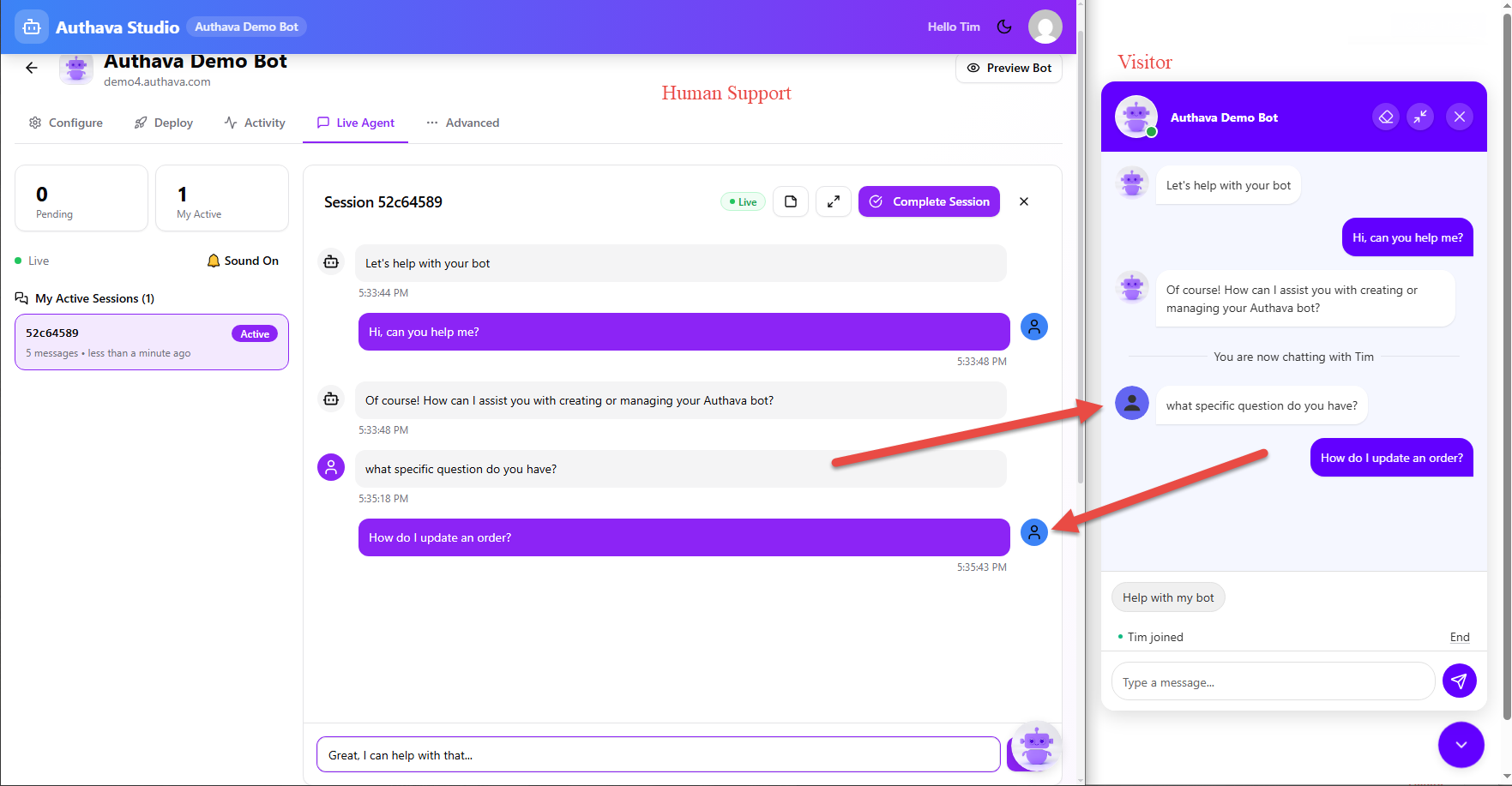
Human agents respond through Authava Studio, where they can view conversation history, continue the discussion in real time, and optionally return the conversation back to AI mode.
Core Flow
- Visitor starts conversation with AI bot
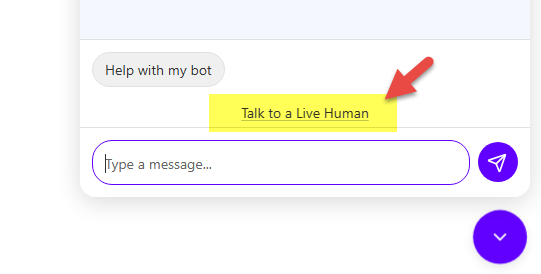
- Visitor requests human assistance
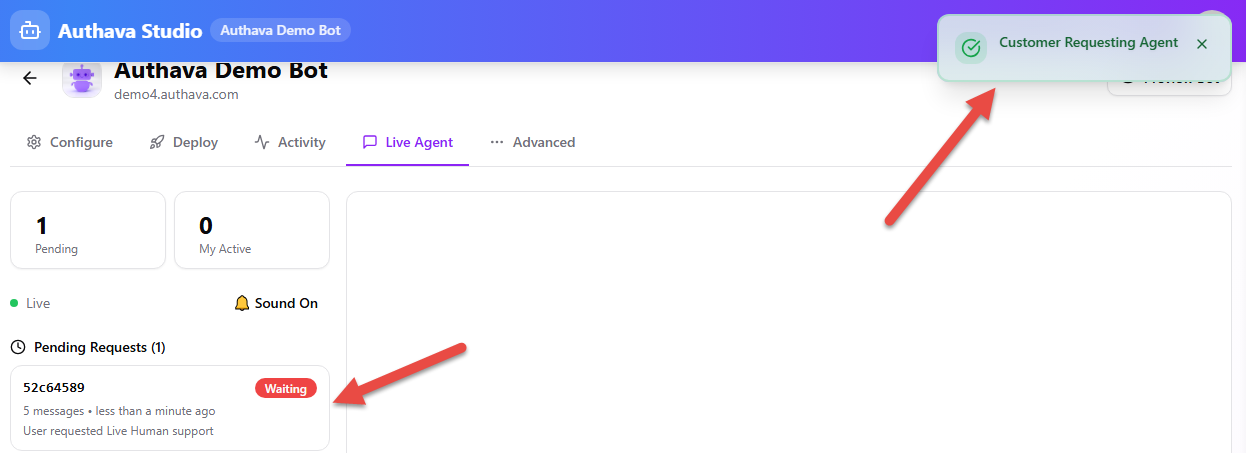
- Human support receives notification in Studio
- Human joins the live conversation
- Human can:
- continue as human support
- collaborate alongside AI
- return conversation back to AI mode
The transition is designed to feel seamless to the visitor while preserving full conversation continuity.
Visitor requests live chat
Human Support receives notice
Visitor and Human Support talk to each other
Key Capabilities
- Human takeover from AI
- AI-to-human escalation
- Human-to-AI return flow
- Real-time messaging
- Shared conversation history
- Internal Studio-based operator interface
- Multi-conversation support
Multi-Conversation Support
A single human operator can manage multiple live conversations simultaneously through Studio.
This allows organizations to efficiently support many visitors without requiring a dedicated agent per session.
Studio Integration
Live Chat operates directly within Authava Studio.
Operators can:
- view active conversations
- respond to visitors in real time
- review prior AI interactions
- monitor conversation state
- switch conversations quickly
- hand conversations back to AI
Because the live chat system shares the same underlying conversation platform as the AI bot, the visitor experience remains continuous rather than fragmented across systems.
Studio alerts your team when a visitor is waiting, with a badge, a chime and a browser notification. With a Portal Bot, your team can also start a live chat with someone signed in to your portal. See Live Chat Notifications in Studio.
Use Cases
- Sales conversations requiring human trust
- Support escalation
- Complex onboarding questions
- High-value customer interactions
- Situations where human judgment is preferred
- Hybrid AI + human workflows
Frequently Asked Questions
Can a visitor talk to a real person instead of the bot?
Yes, when the Live Chat module is on. The visitor asks for a person during the conversation, and a member of your team joins from Studio.
Where does my team answer live chats?
In the Live Agent tab in Studio. See Answer Visitors Live From Studio.
Does the person see what the visitor already asked the bot?
Yes. The full conversation history is shared, so the visitor doesn't have to repeat themselves.
Can one person handle several chats at once?
Yes. A single operator can manage multiple live conversations at the same time.
What happens when the live chat ends?
Either side can end it. The visitor is returned to the bot and can keep asking questions.