Studio
Studio (Self-Service Portal)
What It Is
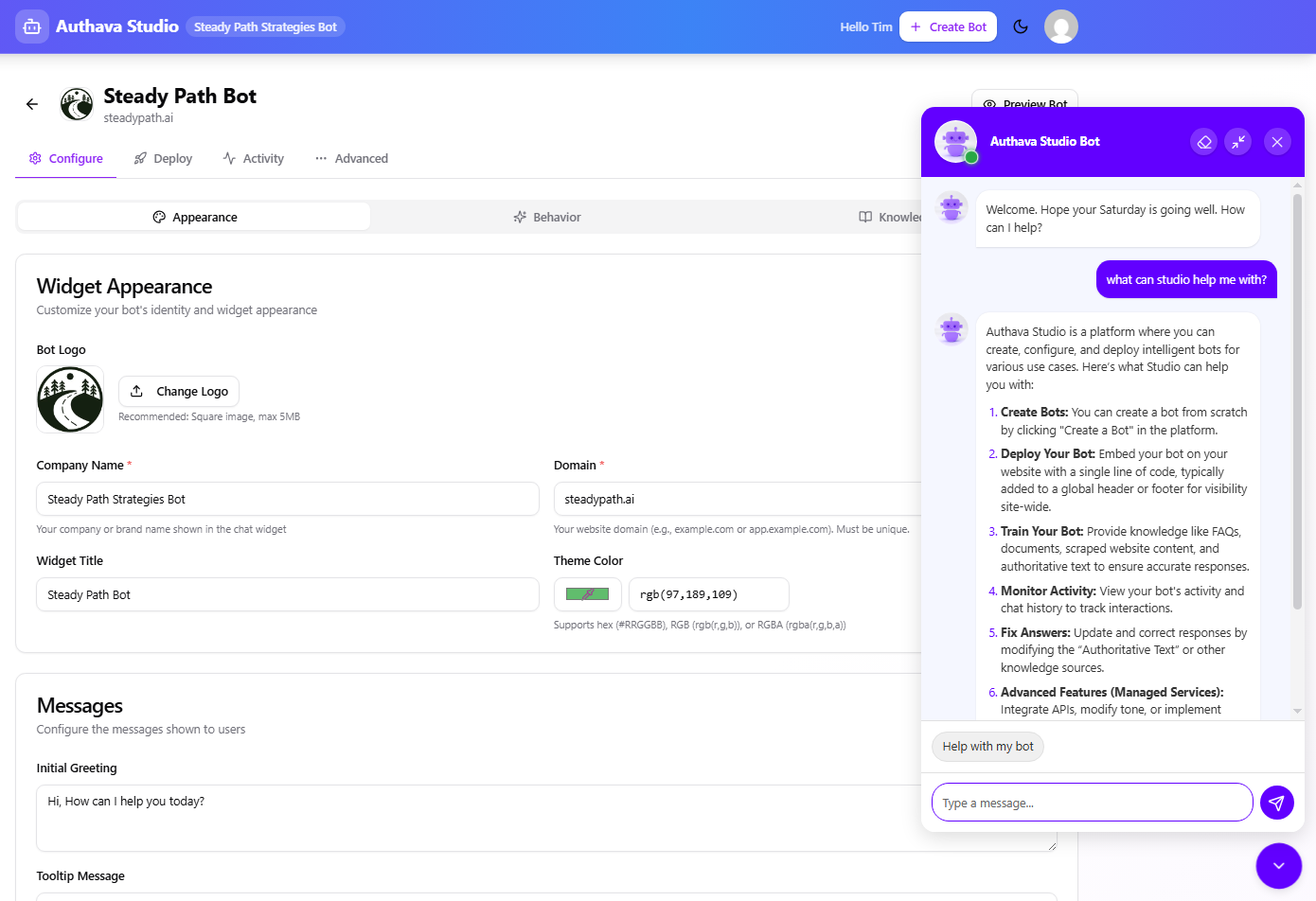
Studio lets you conveniently handle simple bot tasks on your own, like reviewing recent conversations, uploading a new document, changing the logo, or tweaking basic settings, without needing to involve a developer or wait on anyone.
See: https://www.youtube.com/watch?v=mzwHEY5E1HU
What You Can Do
- Review chat conversations and responses
- Update knowledge content, including uploading new documents
- Adjust basic settings such as naming and behavior
Studio is designed for common-sense visibility and updates. It exposes a safe subset of configuration options you can manage yourself, without touching the parts that require deeper expertise.
Who Uses It
Studio is available to all customers, whether you are on a managed setup or running the bot yourself. Most customers use it to review activity and make small updates, while our team handles the heavier lifting. For simpler use cases, you can also create and run a bot entirely through Studio.
Studio includes its own support bot. If you are unsure how to do something, you can ask directly and get guidance in plain language.
Why This Matters
Studio lets you handle simple updates yourself without waiting on anyone, and handles operational tasks like checking chat history if you missed a weekly email, or updating who receives notifications. Even if you never touch the bot's knowledge base, Studio is still useful day to day.
What This Looks Like in Practice
You want to check chat history from last week. You open Studio, browse recent conversations, and see exactly what visitors asked and how the bot responded. You also notice who is receiving weekly notifications and update the list while you are there.
Or you spot the same question coming up repeatedly in your Growth Report. You open Studio, update the relevant content, and the change takes effect. No ticket. No rebuild. No waiting.